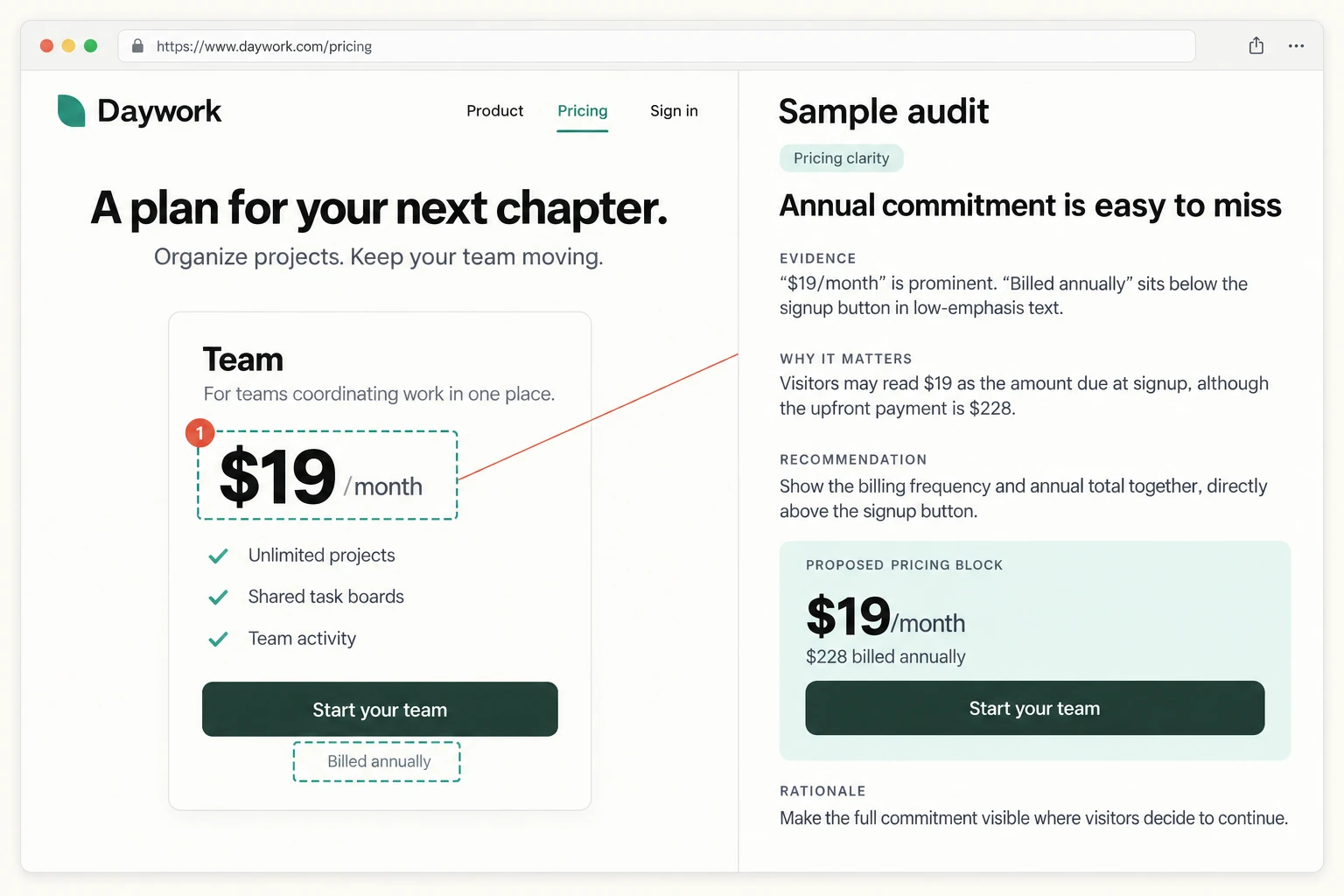
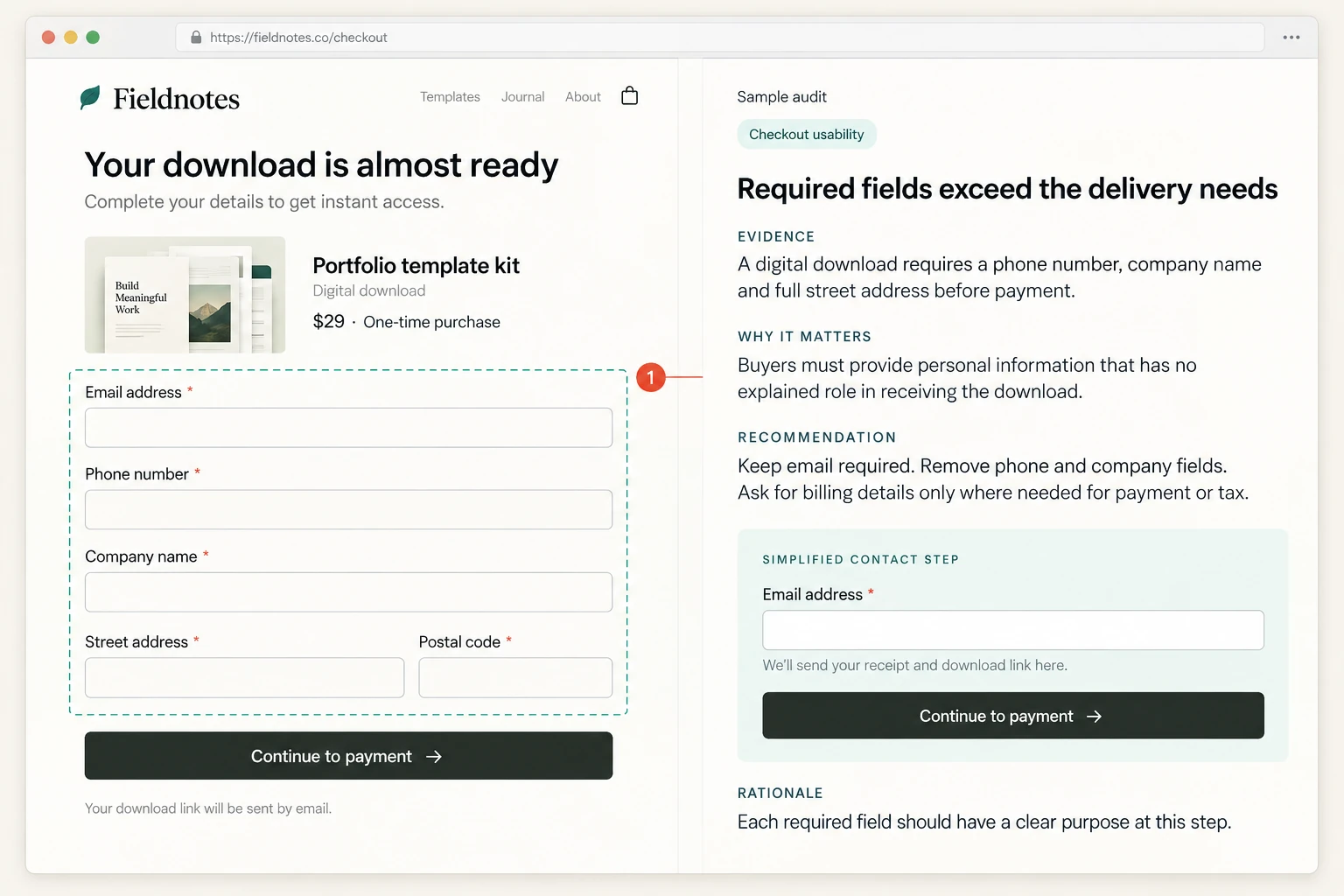
Turn slow manual reviews into repeatable automated audits
Apply the same review criteria every time, so page quality is easier to compare across teams, releases, and clients.
AI-assisted web audits using industry-standard best practices and benchmarks. Get evidence-backed insights on what is blocking users and clear recommendations your team can act on in minutes.
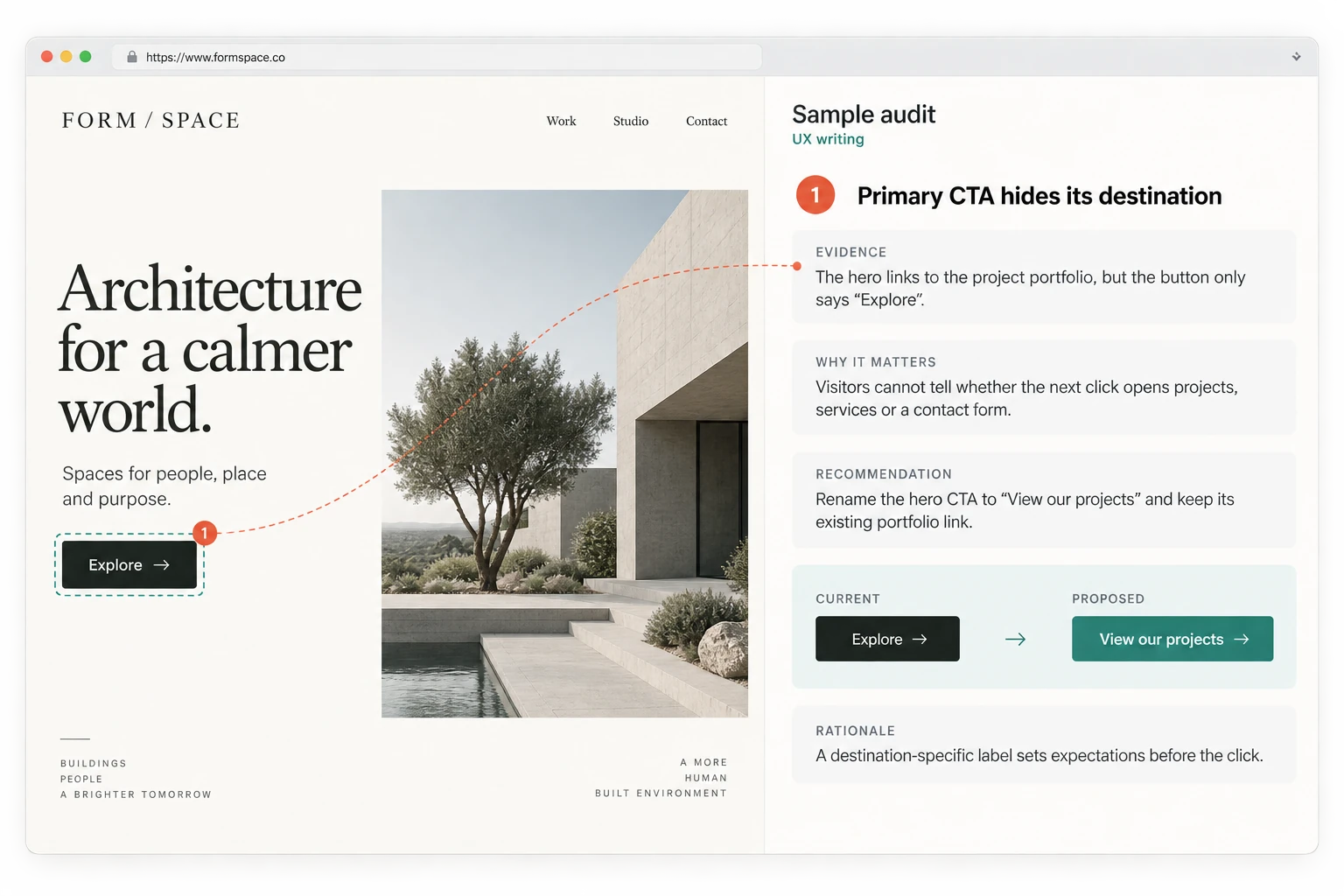
Different reviewers catch different issues, use different criteria, and leave teams without a consistent way to compare page quality.
Apply the same review criteria every time, so page quality is easier to compare across teams, releases, and clients.
Run UX, copy, SEO, accessibility, visual context, and other evaluations from one workspace instead of juggling between platforms.
Use real page data to find issues visual review can miss, with evidence, priority, and clear actions already supplied for each finding.
Start from a real URL, choose evaluations, then keep findings, evidence, and next steps in one place.
See how audits workDesign Audit keeps the workflow short: input a page, choose evaluations, then review the findings your team can act on.
Input a publicly accessible live page URL
Select the evaluations that matter
Review findings, inspect the evidence, and prioritize fixes
Move from a slow manual review to a focused AI-assisted audit.
Before
Teams check copy, usability, SEO, and accessibility by hand while major launch, handoff, or campaign decisions wait.
After
Design Audit automates the audit workflow so the team can move from page URL to findings without a slow manual review.
Before
Different reviewers can apply different standards, making it harder to compare issues across UX writing, usability, SEO, and accessibility.
After
Design Audit checks each page against industry-standard benchmarks across the selected evaluations.
Before
A full page review can require UX writing, usability, SEO, accessibility, and other specialist checks that not every team has time or coverage for.
After
Design Audit helps teams run different evaluations, including UX writing, usability, SEO, and accessibility.
Catch issues early and help more users convert, engage, and stay.

Audit signup, onboarding, pricing, and feature pages with issues that show where user friction may be affecting the next step.
Ranked issues
Know where to focus

Evaluate usability, visual hierarchy, UX writing, and accessibility signals with visual evidence tied to the page.
Visual evidence
See issues in context

Audit landing, campaign, and conversion pages before spend scales or performance drops.
Outcome blockers
Find issues before they cost results

Give clients a benchmark-based audit across copy, usability, SEO, and accessibility before handoff.
Clear next steps
Move from audit to action
Most confusing layouts, vague copy, slow pages, and accessibility gaps go unnoticed. Don't let them keep driving customers away.
Find the confusing steps and dead ends that make people give up before they convert.
Catch the cluttered, off-balance spots that make your pages feel harder to trust.
Fix wording that is vague or off-brand, so visitors actually get what you offer.
See where people get shut out, and exactly how to open your site up to everyone.
Spot the slow pages that wear out patience and quietly cost you sales.
See what is keeping you off the first page of search, in plain language you can act on.
What you can evaluate, what the report includes, and how your team can use the results.
Still have a question? We're happy to help!
Choose from available evaluations covering content, visual design, usability, SEO, accessibility, and performance. Each evaluation uses configured review criteria; the selected type determines the scope.
You get a structured audit with section scores, findings, evidence, and recommended next steps your team can review and prioritize.
Most public pages can be evaluated in minutes, depending on page size, loading behavior, and the evaluations you choose.
You can audit publicly accessible live pages. Private, password-protected, internal, or non-public staging pages are not currently supported.
Review findings, inspect supporting evidence, discuss priorities, and move selected recommendations into your workflow.
No. Start with a publicly accessible URL and choose the evaluations you want to run.
Input a live page URL and get evidence-backed findings, clear recommendations, and next steps your team can act on.